How To Access Your CodaSign Patient Call
To access your CodaSign Patient call and check that everything is working correctly, you will need to have the IP address of your CodaSign Patient Call. The IP address is something that is unique to your practice and will not be accessible externally. If you do not have this, please use the live chat on this page to request it.
The address to access your Patient Call will be http://<local IP>/codacall, so if your given IP address is 192.168.0.1, the URL for the call agent will be http://192.168.0.1/codacall.
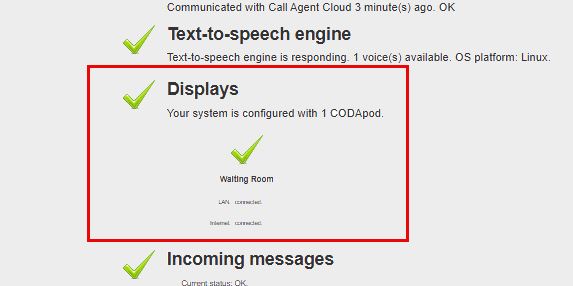
This will bring you to the following webpage:
To confirm that the Patient Call is communicating with your CodaSign Media Player, ensure that there is a green tick in both Displays and the CODApod.
If there have been any called patients within the 180 seconds, they will be displayed here
Logging In
To access the CodaSign Patient Call Setup and other options, click Login in the top right-hand corner.
Your Username is codacall
Your Password is waitingroom
Join Remote Support
Join live Chat
You can chat to one of our technical support team Monday – Friday 8.00am – 5.30pm. |