com0com Installation Guide and Troubleshooting - Vision Hosted Sites
This guide is for the Com0Com driver, which is needed for Intelligent Integration Interface at Vision-hosted sites (Such as in Scotland).
- Download https://downloads.numed.co.uk/Support/I3Tools/com0com.exe
- Run as administrator com0com.exe
- Click Next
- Click I Agree
- Untick CNCA <-> CNCB, then click Next
- Click Install
- Click Install if required on any pop-up
- Click Next
- Tick Launch Setup and click Finish
- Set the COM ports to COM8 and COM9, then click Apply
- Close com0com down.
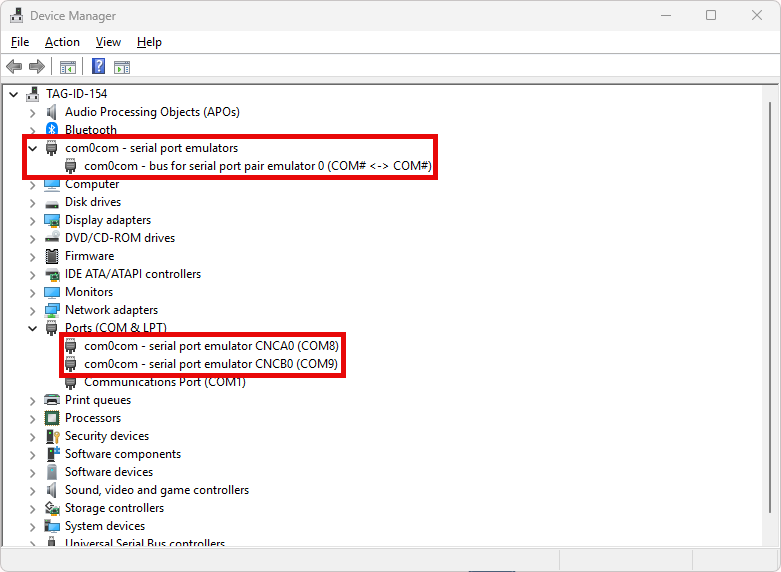
If you look in Device Manager, you will see entries for com0com in 2 places.
Join Remote Support
Join live Chat
You can chat to one of our technical support team Monday – Friday 8.00am – 5.30pm. |