CodaSign Patient Call - Using the Manual Call
The CodaSign Patient Call allows you to send a call announcement to the TV screen without a connection to the clinical system.
To access for the first time, click Manual Call from the menu bar

Click on the green CODAcall button

Using the box that has just appeared, fill the form out with the Patient name, Staff Name, and Room information, then click Call. This will then send a call announcement to the screen
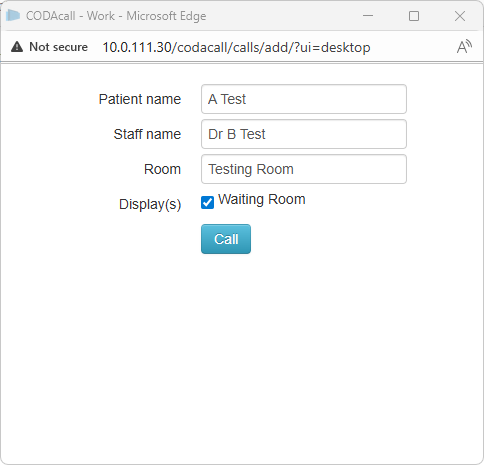

The URL of the box can be added for easy access as a bookmark or favourite to the browser or as a shortcut on the desktop. The URL format will always be http://<Local IP>/codacall/calls/add/?ui=desktop
Join Remote Support
Join live Chat
You can chat to one of our technical support team Monday – Friday 8.00am – 5.30pm. |